

POP Module 2 - Battery Management
Solar Power Systems and Energy Management
Master solar power fundamentals, battery management, troubleshooting, and sustainable operation of off-grid POP systems
Learning Objectives
By the end of this module, you will be able to:
Battery Management and Monitoring
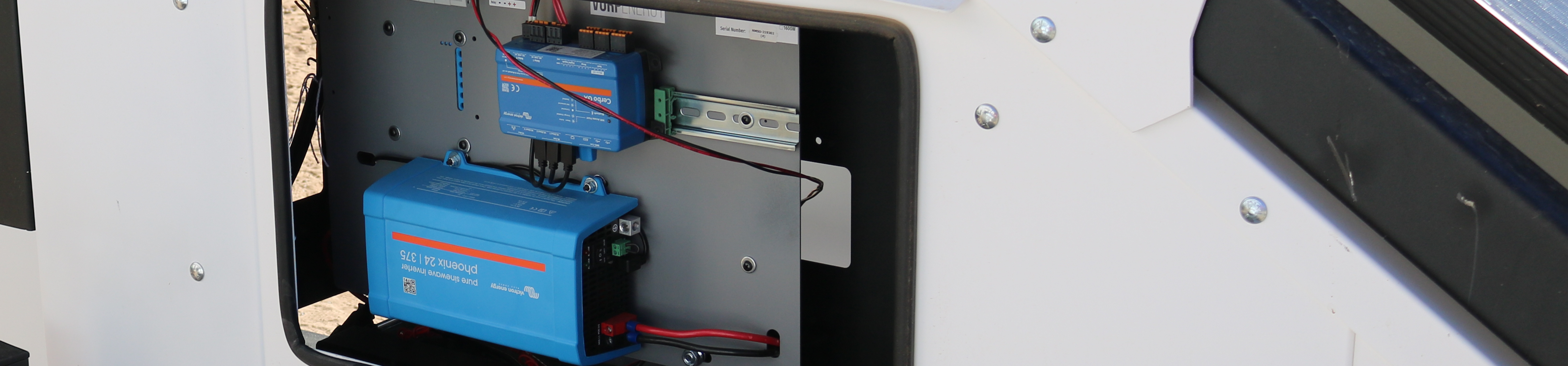
Proper battery management is critical for POP reliability and longevity. The Victron Cerbo GX system provides comprehensive monitoring, but understanding what the data means and how to respond is essential for field staff.
Key Battery Metrics
Battery Monitoring Fundamentals
Understanding Key Metrics for POP Trailer Power Systems
State of Charge (SOC)
Definition: Percentage of battery capacity remaining (0% = empty, 100% = full)
Action: If SOC drops below 30%, consider reducing non-essential loads or relocating POP to sunnier location.
Battery Voltage
Definition: Electrical potential of battery bank (12V, 24V, or 48V systems)
12V System Voltage Guide:
- 13.0-14.4V: Charging (solar production active)
- 12.7-13.0V: Fully charged at rest
- 12.4-12.6V: 70-90% charged
- 12.2-12.3V: 50% charged
- 12.0-12.1V: 30% charged (caution)
- <11.8V: Critical low (system may shut down)
Voltage readings are most accurate when batteries are at rest (not charging or discharging for 30+ minutes).
Current Flow
Definition: Rate of electrical flow in/out of batteries, measured in Amperes (A)
Batteries charging (solar input exceeds load)
Batteries discharging (load exceeds solar input)
Typical POP load is 2-5A. Solar production can reach 15-30A during peak sun hours.
Temperature
Definition: Battery internal temperature affects performance and lifespan
Battery enclosures on POP trailers are insulated to moderate temperature extremes. LiFePO4 batteries perform better in cold than lead-acid.
Accessing Cerbo GX Monitoring
Web Interface:
- Connect to POP WiFi network
- Navigate to
venus.localin browser - View real-time dashboard with all metrics
- Access historical data and trends
VictronConnect Mobile App:
- Download VictronConnect app (iOS/Android)
- Connect via Bluetooth or WiFi
- View live data and receive alerts
- Configure settings (admin access required)
Best practice: Check battery status daily during first week of deployment, then weekly during normal operation.
⚠️ Battery Maintenance Tips
Never allow SOC to drop below 20% (shortens battery life)
Keep battery terminals clean and connections tight
Check for corrosion monthly (white/green buildup on terminals)
Ensure battery enclosure ventilation is not blocked
Monitor for unusual temperature increases (may indicate failure)